
Use the Library
Find and install checklists, taxonomies, names, places and import formats, keep them up to date, and remove what you no longer need.
Updated
The Library holds the lists, names and places Bird Journal records with. Bird Journal publishes them, and other users share their own. Everything in it is free to install, on a free account too.
On a computer, press Library in the bar at the top. On a phone, it is in the ⋮ menu. It has four tabs: Library, Installed, Updates and Custom.
What’s in it
Choose a type to browse:
- Taxonomies — the species themselves and their names, for the world or a region. Every list you record from is drawn from one.
- Checklists — the species of one place, picked out from a taxonomy.
- Checklist Packs — a checklist for each place a pack covers. One pack gives every country of the world its list, and another gives each county of the United Kingdom one.
- Synonym Packs — other names for species: British names, names in other languages, or codes for faster recording.
- Location Packs — places to record at, such as a country’s counties or states.
- Record Formats — the formats Bird Journal can import and export, such as other apps’ files.
Taxonomies, checklists and names explains how they fit together.
Finding and installing
Search on the Library tab for your county, a trip’s country, or other wildlife. Select an item to see its details: what it is, its release notes, what it Depends On, and for a checklist pack, which places it Covers.
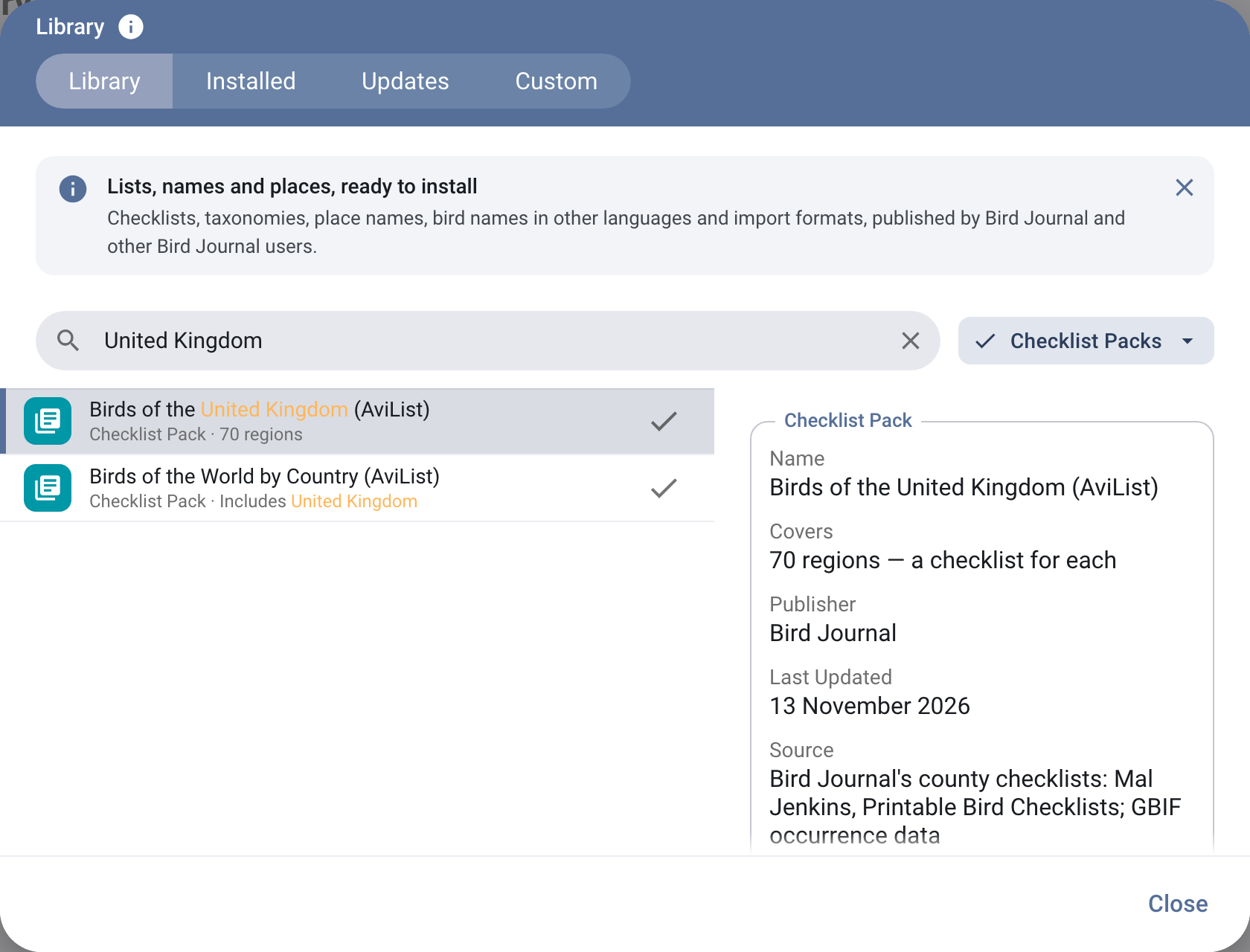
Press Install. If the item needs others to work, such as the taxonomy a checklist is drawn from, Bird Journal says so and installs them with it.
Once installed, an item is on all your devices after their next sync.
Lists offered by place
You don’t choose a checklist once and keep it. Each checklist is offered only where it applies, so a county’s list shows when you record in that county, and your country’s list elsewhere in your country.
While recording, tap the list’s name above the species to choose another. If a bird isn’t on the list you’re using, choose a wider one, or the whole taxonomy, to find it.
Installed
Installed lists everything your journal has. Select an item to see what it is and press Uninstall to remove it.
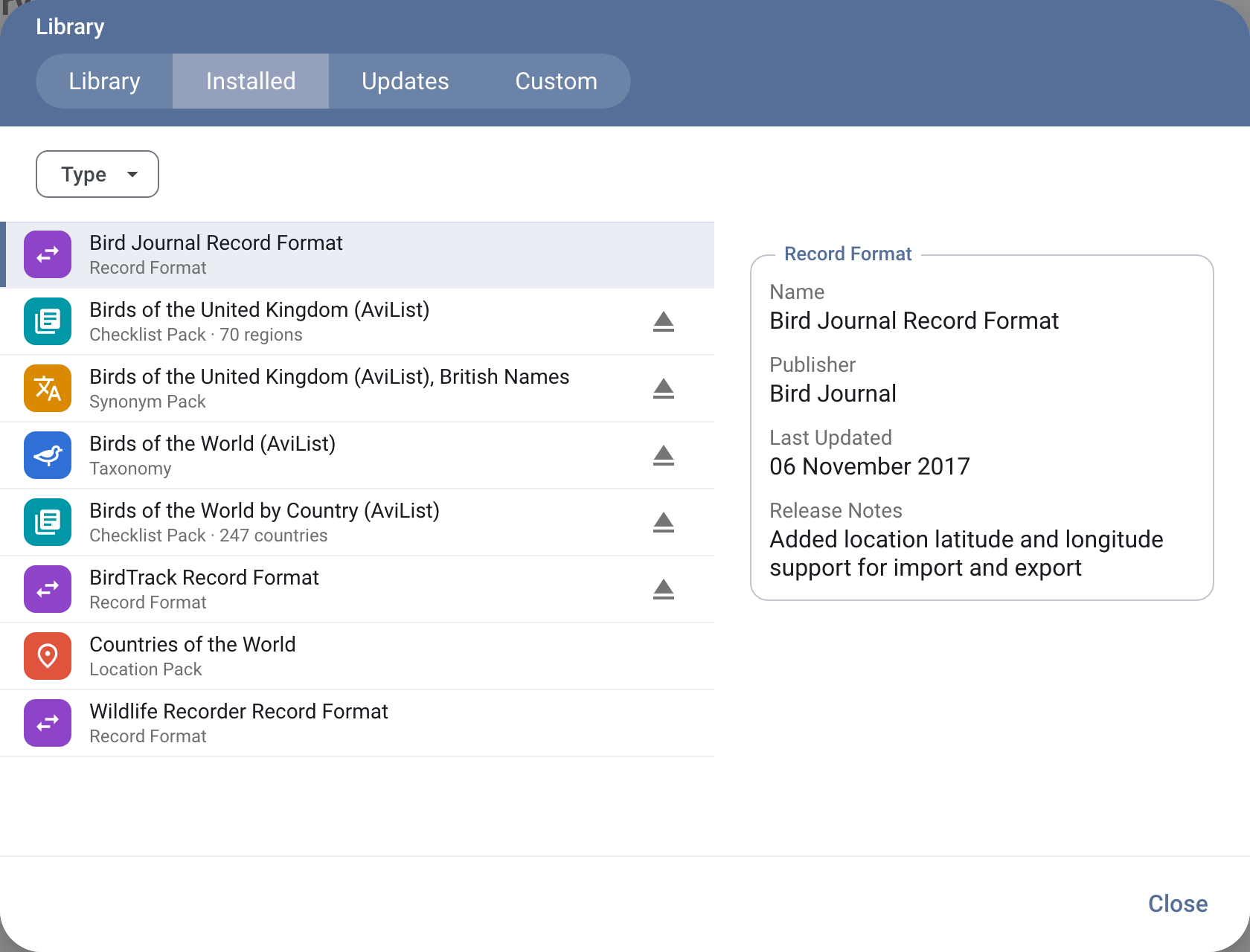
Bird Journal won’t remove something still in use. A taxonomy your entries use has to be moved first, with Swap, and an item another item depends on stays until that item goes.
A retired item gets no further updates, and its details say what replaces it. For a retired taxonomy, Migrate… moves your records onto its replacement. See Taxonomy updates.
Updates
When revised versions are waiting, a count shows on Library and on the Updates tab. Open Updates to read what changed, then press Update All. Taxonomy updates sometimes leave species for you to settle afterwards; Taxonomy updates covers that.
Custom
Custom is where you make taxonomies, checklists and synonym packs of your own, and publish them for others. See Create a checklist.
More import and export formats
In Tools ▸ Import and Tools ▸ Export Records, More formats in the Library opens the Library’s record formats over the screen you’re on. Install a format and you’re taken straight back, with it chosen. The button shows only when the Library has a format you haven’t installed.